
Once you publish regularly, two problems appear. Consistency: posts written on different days start to sound like different people. Learning: without a habit of looking at the numbers, you keep doing what feels right rather than what works. Templates and Brand Voice solve the first, and the Analytics summary the second.
Templates: write the structure once
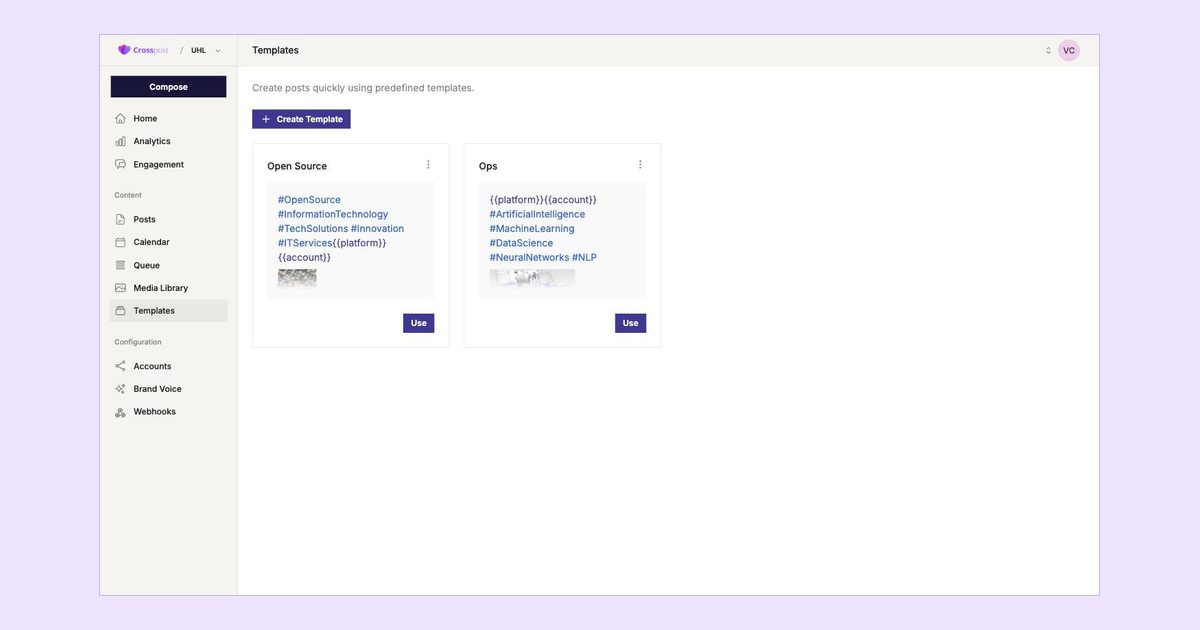
A template is a reusable post body. Open Templates in the Content section, click Create Template, give it a name and write the text you tend to repeat: a block of hashtags, a standard sign-off, the framing for a weekly tip. You can attach media as well. From then on, the Use button opens the template in Compose, where you fill in the specifics and publish as usual.
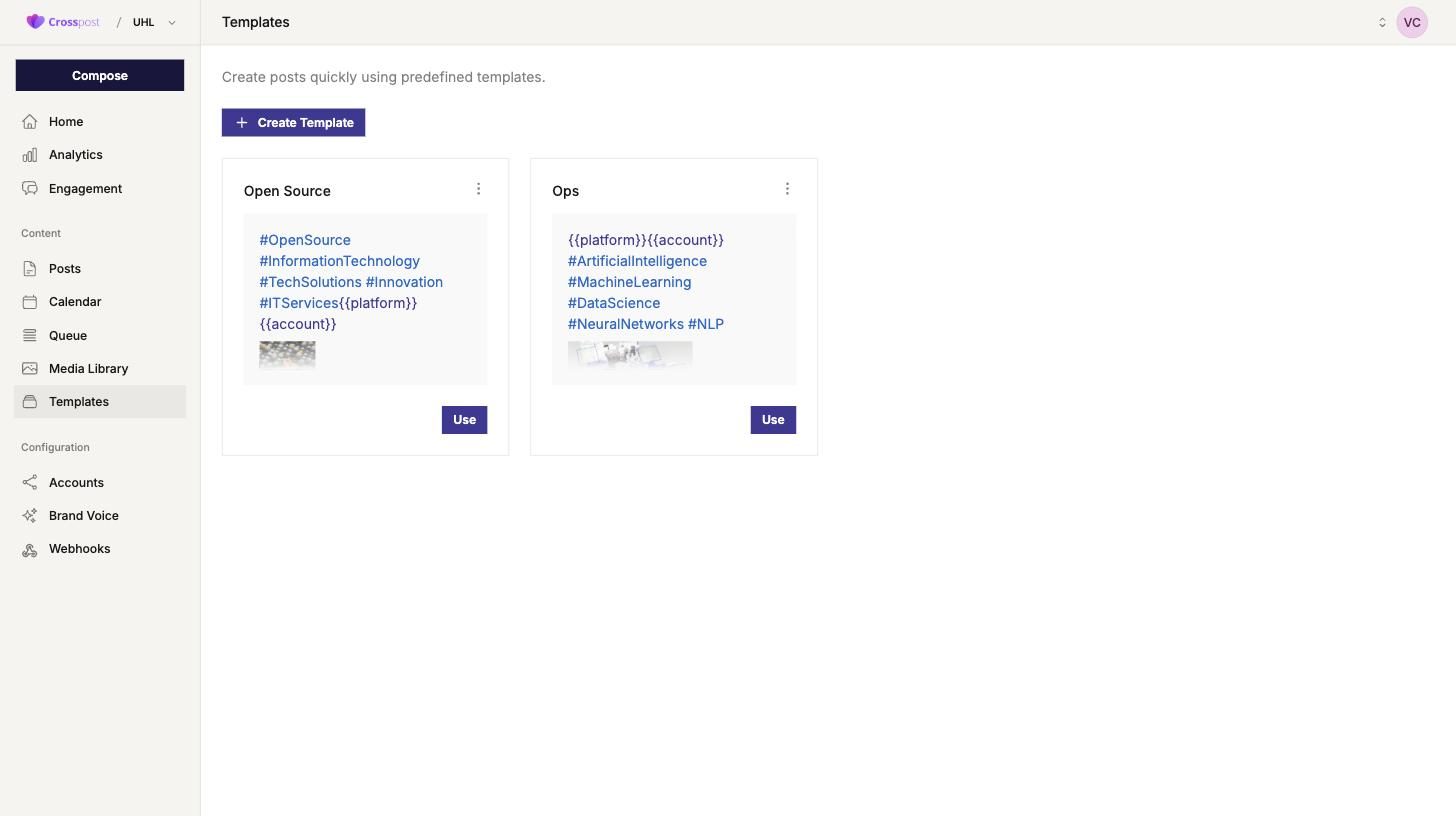
Templates become more useful with variables. {{platform}} is replaced with the network name and {{account}} with the account name at publish time, so one template can produce a slightly different post for every destination. Good candidates are anything you post on a schedule: a Monday tip, a Friday round-up, a product reminder, an event countdown.
Brand Voice: teach the AI how you sound
The AI assist button in Compose can draft, shorten and rewrite. Out of the box it writes like a generic assistant. Brand Voice, in the Configuration section, is where you fix that. The form has two parts.
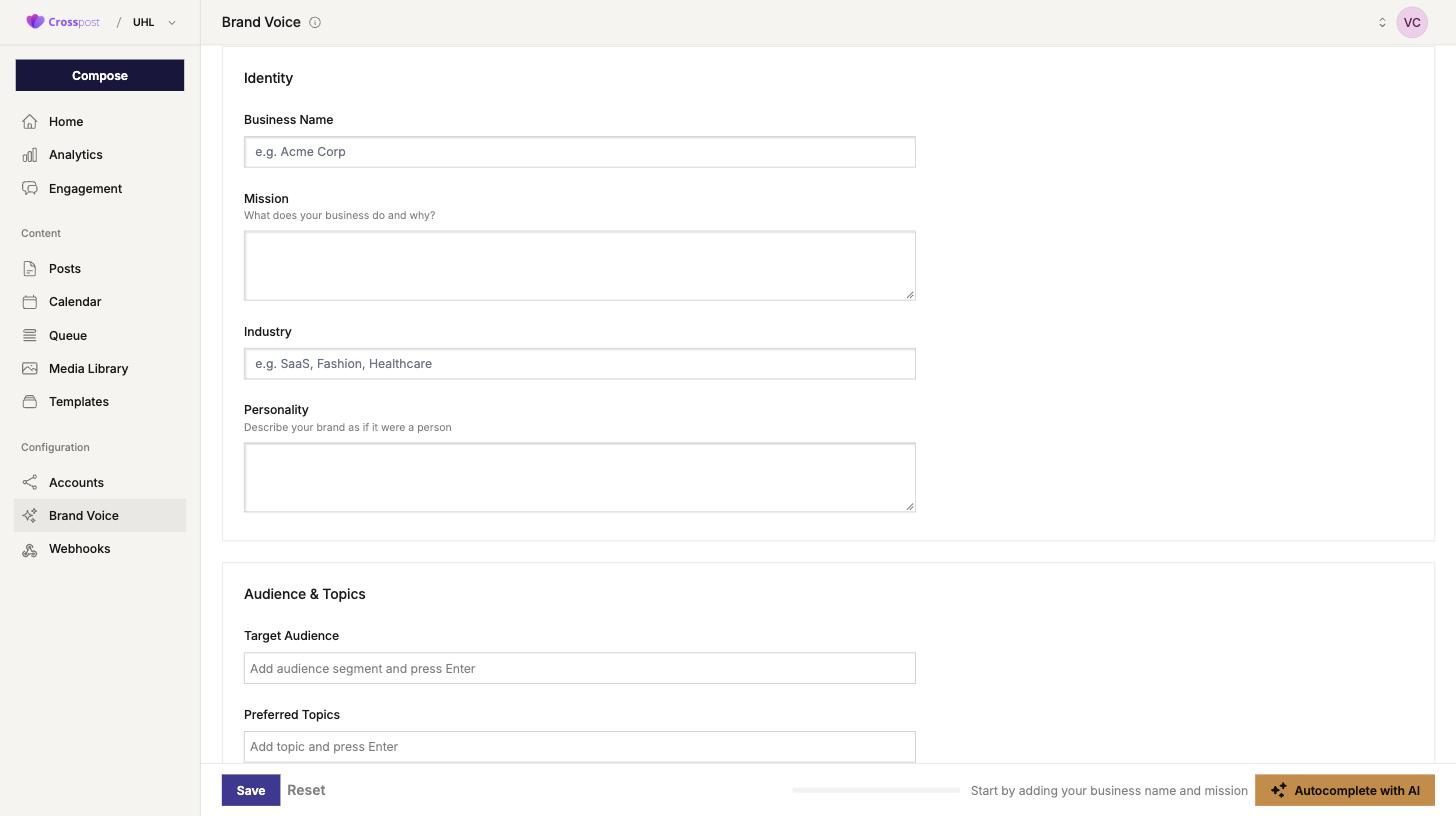
- Identity: business name, mission, industry and personality. For personality, describe the brand as if it were a person: “direct, warm, never salesy, explains things with examples”.
- Audience and topics: the audience segments you write for and the topics you prefer to cover. Press Enter after each entry.
Not sure what to write? Enter the business name and mission and press Autocomplete with AI; it proposes the remaining fields for you to edit before saving. From then on, every AI suggestion in Compose follows this profile. For more control over the prompts themselves, our SMM GPT prompt library has ready-made prompts for common post types.
Reading the analytics summary
Open Analytics and stay on Summary. The date selector in the top right sets the period; “This month” is the right default for a review. The top row shows three numbers.

- Total followers across every connected account, the size of your combined audience.
- Follower growth in the selected period, with the change against the previous period. This is the number that tells you whether your content is attracting people.
- Posts published in the period. Read it next to growth: more posts with no extra growth suggests you should change the content, not the volume.
Below the cards, Top performing account and Needs attention point at the account that grew most and the one that shrank or stalled, and the Combined audience chart draws the total over time.
A monthly review routine
Half an hour on the first working day of the month is enough.
- Set the period to last month and note the three KPI numbers in a simple spreadsheet, so you can see the trend over a year.
- Open the top performing account and look at what you posted there. Turn the pattern into a template.
- Open the account that needs attention. Decide whether to change the content, change the posting times in the Queue, or accept that the network matters less for you.
- Reread your Brand Voice profile. If the tone has drifted or the topics have changed, update it so the AI assist stays accurate.
- Pick one experiment for the coming month: a new format, a new slot time or a new topic. One at a time, so you can tell what made the difference.
A note on privacy
Analytics, drafts and connected tokens are data about your business and your followers, so where they live matters. CrossPost is operated by UHL-Services in Adliswil, Switzerland, and the infrastructure is hosted in Germany on Hetzner. If your organisation needs its data in a specific country, on-demand concierge deployments are available in every country where CrossPost has customers. The Enterprise plan also covers on-site deployment with S3 storage, and you can reach us through the contact page to discuss it.
Next step
Log in at smm.uhl.agency, fill in Brand Voice and create one template for the post you repeat most often. Then put a monthly review in your diary. The full feature list is on the features page.